SMS OTP for SaaS: Secure Login via One-Time Code 2026
SendSeven Team, Editorial Team
97-99% delivery rate, works on every mobile phone, no app installation required: SMS one-time passwords remain the most practical channel for 2FA. This guide covers implementation, security best practices, a cost comparison with WhatsApp Authentication and TOTP, and when it makes sense to switch channels.
TL;DR
SMS one-time passwords deliver 97-99% of the time, arrive within seconds, and work on any mobile phone without an installed app. For SaaS products with diverse user bases, that reach advantage is hard to replace. This guide explains how to implement 2FA via SMS correctly, what security measures are non-negotiable, and how much routing logins through WhatsApp Authentication saves per code.
What SMS OTP is and why it matters
One-time passwords (OTP) are short-lived codes generated for a single authentication event. They add a second factor to a login: something the user knows (their password) plus something they have (their phone). Even if a password is compromised, an attacker without the phone cannot complete the login.
SMS is the most widely used delivery channel for OTP codes. The reason is reach. An SMS does not require the recipient to have a specific app installed, a data connection active, or an account with a particular service. It works on a two-year-old Android just as well as the latest iPhone. For a SaaS product with users across different geographies, device types, and tech-savviness levels, that universality is the decisive advantage.
The alternative that often comes up in discussions is TOTP — time-based one-time passwords generated by an authenticator app like Google Authenticator or Authy. TOTP is more secure and has no per-code delivery cost. But it requires users to install an app and set it up in advance. Activation rates for TOTP among general consumers are significantly lower than for SMS 2FA, particularly outside the tech-forward segment. Many SaaS products use SMS as the default and offer TOTP as an option for security-conscious users.
How SMS 2FA works in practice
The flow of an SMS-based 2FA authentication is the same across virtually all implementations:
- User enters email and password on your login page.
- Your backend verifies the password. If correct, it generates a random 6-digit code, stores it with an expiry time (typically 10 minutes), and calls the SendSeven API to send it via SMS to the registered mobile number.
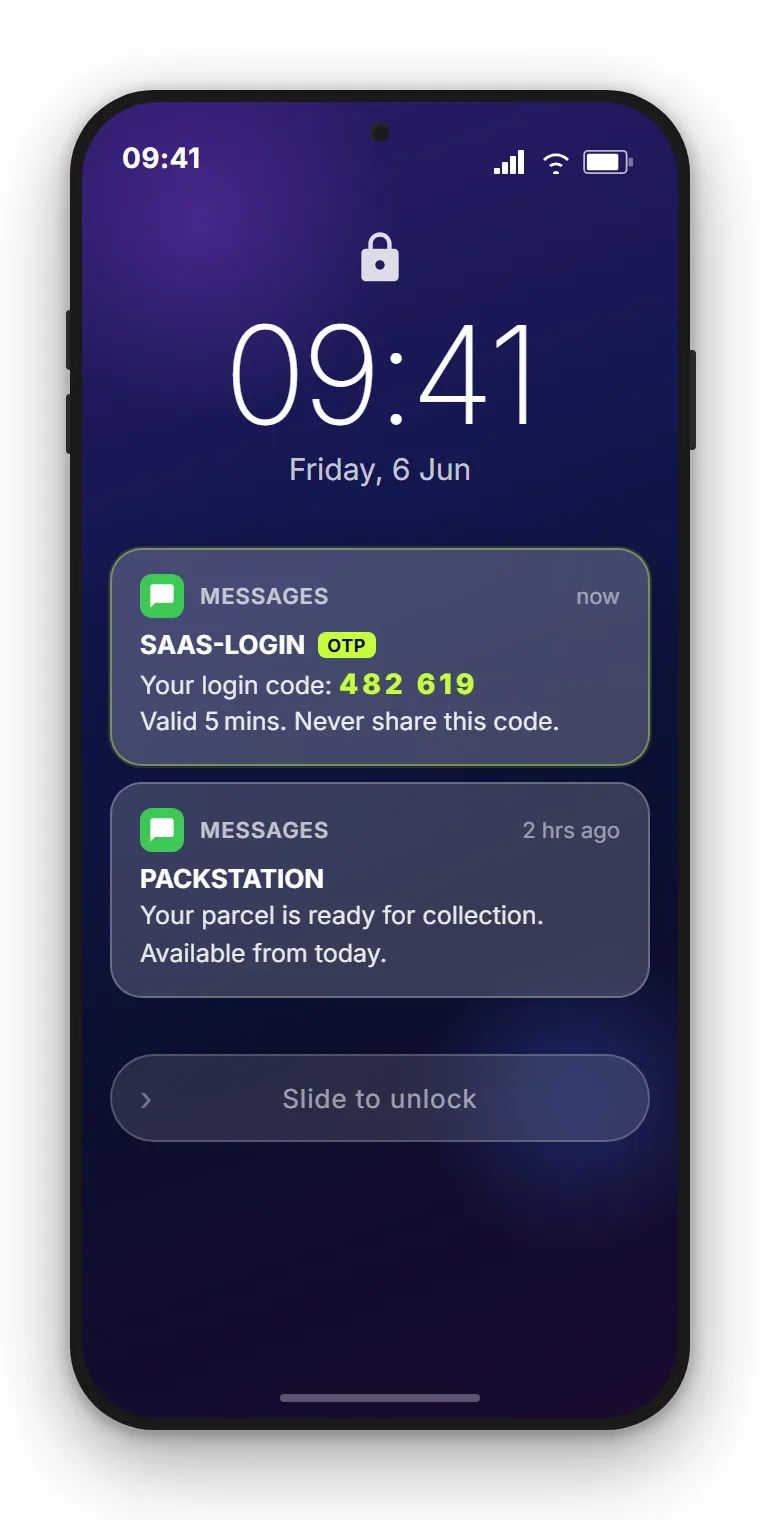
- The user receives the SMS on their lock screen within seconds. They enter the code on your verification page.
- Your backend checks the code against the stored value and expiry. Match confirmed, non-expired: login proceeds. Any other result: login rejected.
- The code is invalidated after use (single-use) and automatically expires after the timeout.
The SMS lands directly on the lock screen, visible without unlocking the phone. That is a usability advantage over email OTP (which requires opening the mail app) and over app-based TOTP (which requires unlocking and opening the authenticator). The friction is minimal. For login flows where conversion matters, that frictionlessness is significant.
SMS vs. WhatsApp Authentication vs. TOTP
There are three main methods for delivering OTP codes. Each has a different profile on reach, cost, and security. The table below covers the dimensions that matter for a SaaS product decision.
| Criterion | SMS OTP | WhatsApp Authentication | TOTP (Authenticator App) |
|---|---|---|---|
| Delivery rate | 97-99% | High (requires WhatsApp installed) | 100% (local generation) |
| App required by user | No | Yes (WhatsApp) | Yes (authenticator app) |
| Setup by user | Just a phone number | Phone number must match WA account | App install + QR code scan |
| Cost per code (example rates) | €0.085-0.100 (EU routing) | €0.0182 (Meta Auth template, UK rate) | €0.00 |
| SIM swap risk | Yes | Lower (device-bound) | No |
| Phishing resistance | Moderate (can be forwarded) | Moderate | High |
| Best for | High user diversity, global reach, minimal friction | High volumes in WhatsApp-dominant markets | Security-conscious users, developer tools, high-security contexts |
TOTP wins on security and cost. But for consumer SaaS with a broad, non-technical user base, the activation barrier is real. The drop-off rate when users reach a TOTP setup screen is substantial. SMS OTP converts better at the point of 2FA enrollment because the only requirement is a phone number, which most users have already provided.
Security best practices for OTP delivery
SMS OTP is a strong second factor when implemented correctly. These measures are non-negotiable:
- 6-digit codes, not 4-digit. A 4-digit code has 10,000 possible values. A 6-digit code has 1,000,000. The additional entropy meaningfully increases resistance to brute-force attempts.
- 10-minute expiry maximum. Long-lived codes increase the window for interception and social engineering. 5 to 10 minutes is the standard. Anything longer weakens the second factor.
- Single-use invalidation. Once a code is successfully used, invalidate it immediately. A code that can be reused is not a one-time password.
- Rate limiting and lockout. Implement a maximum number of failed attempts before the session is locked or the user is required to re-request a code. Five failed attempts is a common threshold.
- No code in the URL. Never put the OTP in a URL parameter. The code should only ever be entered manually by the user in your application.
- Cryptographically random generation. Use a cryptographically secure random number generator (CSPRNG), not a standard pseudorandom function. Predictable codes are a serious vulnerability.
- Server-side validation only. The comparison between submitted code and stored code must happen on the server. Client-side validation can be bypassed.
A note on SIM swap attacks: this is the primary security concern with SMS-based 2FA. An attacker who convinces a mobile carrier to transfer a victim's number to a new SIM can intercept SMS codes. For consumer apps this risk is real but manageable. For high-security contexts (financial services, accounts with significant monetary value), consider offering TOTP or hardware keys in addition to SMS.
Fallback strategies when SMS fails
SMS delivery rates of 97-99% mean 1-3% of codes do not arrive. For a login flow, a failed code delivery creates immediate user friction: the user is locked out. Build a fallback:
- Resend option. Allow the user to request a new code after 30 to 60 seconds. Throttle this to prevent abuse, but do not make it inaccessible.
- Alternative channel. If the user has set up an authenticator app, offer TOTP as a fallback. If they have a verified email address, consider email delivery as a secondary option, with appropriate caveats about email security.
- Recovery codes. At 2FA enrollment, provide a set of one-time recovery codes the user can store securely. These allow account recovery if both primary and fallback channels fail.
- Support escalation path. For B2B SaaS with defined support processes, provide a clear route to account recovery via verified identity check. Document this process so it does not create a social engineering vector.
Cost calculation: SMS vs. WhatsApp per code
The decision between SMS OTP and WhatsApp Authentication is partly about reach and partly about cost per code. WhatsApp Authentication templates are priced lower per message than SMS on EU and UK routes. But the reach caveat is important: WhatsApp Authentication only reaches users who have WhatsApp installed and whose phone number is linked to an active WhatsApp account.
A cost comparison using example rates: SMS at €0.09 per code and WhatsApp Authentication at Meta's UK authentication rate of €0.0182 per message (rate card in effect since 1 October 2026), 30 days per month. Meta prices authentication per destination market, so your own numbers depend on where your users are: for example €0.0456 in Germany and €0.0248 in France.
| Daily logins | SMS OTP cost/month (€0.09) | WA Auth cost/month (€0.0182, UK) |
|---|---|---|
| 100 | €270 | €55 |
| 500 | €1,350 | €273 |
| 1,000 | €2,700 | €546 |
| 5,000 | €13,500 | €2,730 |
There is no minimum volume: at UK rates each code sent via WhatsApp Authentication costs about €0.072 less than via SMS (€0.0182 instead of €0.09), roughly 80% less. The saving grows with every login; at 250 logins per day it is €675 a month via SMS versus about €137 via WhatsApp Authentication, roughly €540 a month. Routing logins through WhatsApp Authentication where your user base has WhatsApp (high penetration in the UK, Western Europe, and many other markets) reduces OTP delivery costs from the first code. In markets with a higher Meta authentication rate the saving per code is smaller but still there: in Germany (€0.0456) about €0.044, or 49%. SMS remains the better channel wherever users have no data connection, because it arrives without internet: in dead zones, with mobile data switched off while roaming, or on basic phones without WhatsApp.
The practical recommendation: start with SMS for simplicity and universal reach. Then check what share of your users have WhatsApp: for them, WhatsApp Authentication is cheaper per code from the first login, and SMS stays the fallback for everyone else, including users without a data connection. SendSeven supports both channels from a single API, so adding WhatsApp Authentication alongside SMS does not require switching providers.
Full current per-message pricing is on the pricing page.
GDPR and data protection for OTP
Sending a verification code to a user who is logging into your service is a transactional message tied to a contract or service relationship. Under Art. 6(1)(b) GDPR (performance of a contract), explicit consent is not required for 2FA codes sent as part of securing account access. The key requirements are:
- Data minimisation. Store only the hashed or encrypted code and its expiry, not the plaintext. Delete it after use or expiry.
- Data Processing Agreement (DPA). Your SMS provider processes personal data (mobile numbers) on your behalf. Under Art. 28 GDPR, you need a DPA. SendSeven provides this as standard.
- EU data residency. For EU-based users, understand where your provider processes numbers and delivery logs. SendSeven processes data on servers in the EU.
- Transparency in your privacy notice. Your privacy policy should explain that the mobile number is used for security verification, how long it is held, and the legal basis for processing.
Implementing OTP via SendSeven API
SendSeven sends OTP codes as transactional SMS via the REST API. The integration follows a standard pattern:
POST https://api.sendseven.com/v1/messages
Authorization: Bearer {your_api_key}
Content-Type: application/json

{
  "channel": "sms",
  "to": "+447700900123",
  "type": "text",
  "text": "Your SendSeven verification code is 482931. Valid for 10 minutes."
}
Your backend generates the code, sends via the API, and stores the code hash and expiry. The SendSeven API returns a delivery status in the response. Webhook delivery receipts are available for monitoring delivery rates in production.
For high-volume OTP implementations, the API authentication guide covers rate limits, retry logic, and production-readiness checklist. The webhook setup guide explains how to configure delivery receipts so you can detect and respond to failed deliveries in your application logic.
Frequently asked questions
What delivery rate can I expect for SMS OTP?
SMS OTP delivery rates typically sit between 97 and 99% for EU-routed messages. Delivery times are usually 5 to 15 seconds. Factors that affect delivery include the destination network, the time of day, and carrier-specific routing. SendSeven uses EU-optimised routing for transactional messages.
How long should an OTP code be valid?
5 to 10 minutes is the recommended validity window. This is short enough to limit the exposure window if a code is intercepted, and long enough for users who need a moment to locate their phone. Do not exceed 10 minutes for security-sensitive applications.
Should I use SMS or WhatsApp for 2FA codes?
SMS offers maximum reach with no app requirement. WhatsApp Authentication is cheaper per code and slightly more secure (device-bound), but requires users to have WhatsApp installed. For broad consumer user bases, SMS is the default. A hybrid approach saves from the first login: route to WhatsApp where users have it installed, fall back to SMS for others, including users without a data connection.
Is SMS 2FA compliant with GDPR?
Yes. Sending a verification code as part of a login flow falls under Art. 6(1)(b) GDPR (performance of a contract) and does not require separate consent. You need a Data Processing Agreement with your SMS provider, and data should be processed on EU servers where applicable.
How do I prevent OTP abuse (brute-force attacks)?
Implement rate limiting on code generation (one code per minute maximum), cap failed verification attempts (five is a common threshold), invalidate codes immediately after successful use, and set a 10-minute expiry. Use cryptographically secure random code generation (CSPRNG).
Can I combine SMS OTP with WhatsApp Authentication on one platform?
Yes. SendSeven supports both SMS and WhatsApp from a single API. You can route authentication codes to WhatsApp for users who have it installed and fall back to SMS for those who do not, all through the same integration.
What is the API format for sending OTP via SendSeven?
You POST a message to the SendSeven REST API with channel set to "sms", the recipient's phone number in E.164 format, and your message text including the code. The API returns delivery status and a message ID. Webhook callbacks deliver asynchronous delivery receipts.
What happens if the SMS OTP does not arrive?
Build a resend option in your UI, throttled to one resend per 30 to 60 seconds. If the user has an alternative 2FA method set up (TOTP or recovery codes), offer that as a fallback. Monitor delivery receipt webhooks so your system can detect non-delivery and surface the resend prompt proactively.
Conclusion
SMS OTP remains the most practical delivery mechanism for 2FA in consumer-facing SaaS. The combination of 97-99% delivery, zero app requirement, and 5-second arrival time makes it the right default for products with diverse user bases.
The implementation is straightforward: a single API call from your backend, a few security rules applied consistently, and a fallback path for the small percentage of cases where SMS delivery fails. At high volumes, adding WhatsApp Authentication as a secondary channel reduces cost while maintaining coverage.
Related articles: