Trigger words on the product: from sticker to subscriber
Kai Viertel, Co-Founder & CMO
Every opt-in link and every QR code carries a pre-filled message. The word inside it decides which sequence starts after the scan, and it tells you which stand the sign-up came from. How to choose the word, how to measure every spot with it, and where it does not reach.
TL;DR
Every opt-in link and every QR code carries a pre-filled message. The word inside it is your trigger word. It decides which sequence starts when a customer scans, and it tells you which stand the sign-up came from. One word per product, per spot, per campaign. A keyword bot recognises the word, replies instantly and can start a sequence in the Flow Builder. That turns a sign-up into a qualified opt-in, where you already know what the contact is interested in.
What a trigger word is
Scanning a QR code does not drop the customer into an empty chat. WhatsApp opens the input field with text already in it. All the customer has to do is hit send. That text is the pre-filled message, and the word inside it is your trigger word.
In SendSeven you set it under Widgets in the Promotion tab, separately per channel. Change the word and the link and the QR code follow automatically. So nothing has to be regenerated as long as only the text changes.
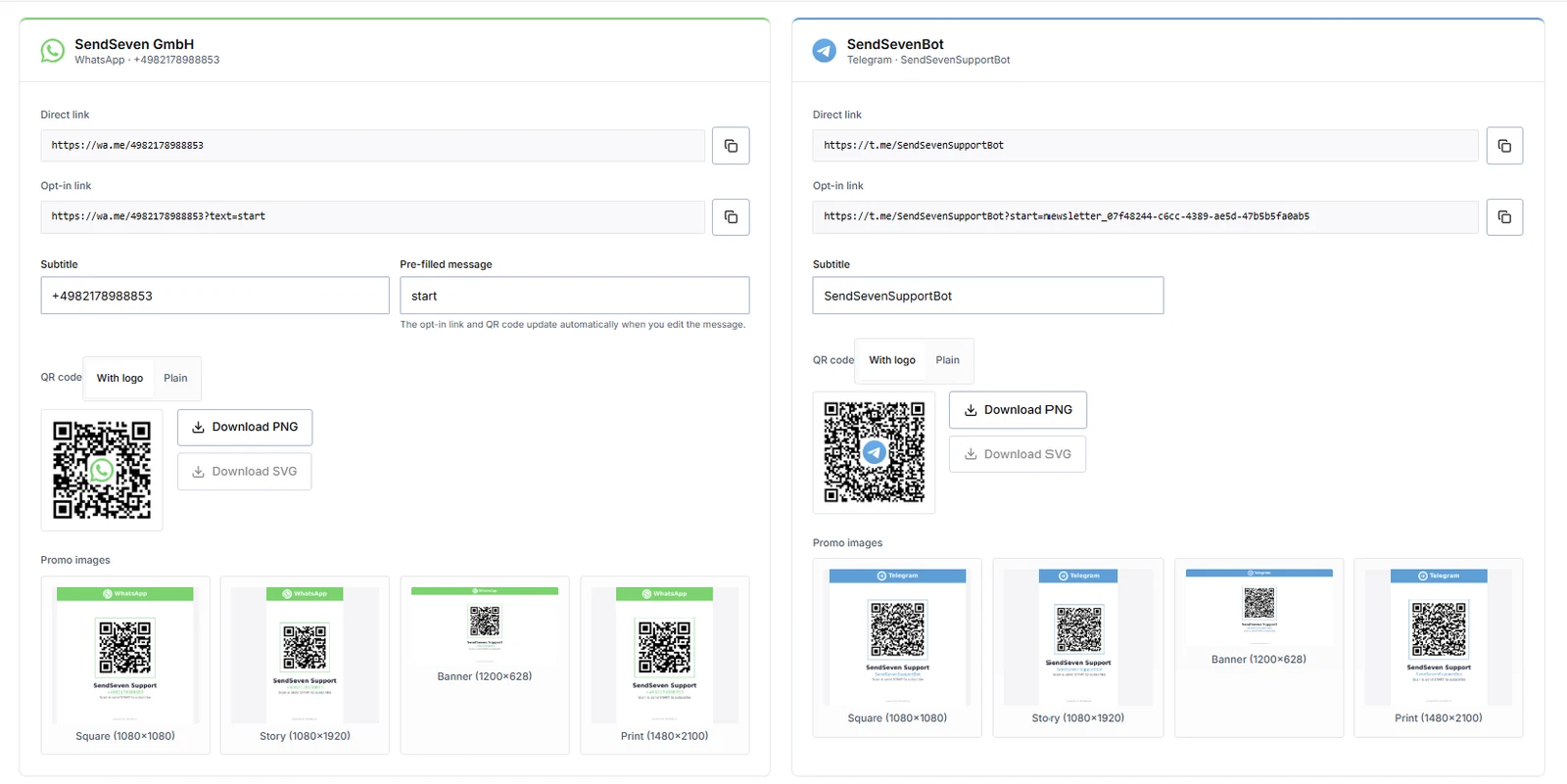
Most businesses leave that field on the default text. That is the missed opportunity, because the word being sent is the only piece of information that travels all the way from the stand into your inbox.
Choosing the right word
A trigger word is not a piece of copy. It is a key. Four rules are enough.
One word, not three. "coffee" beats "I would like to know more about your coffee beans". Short words survive being typed out by hand instead of scanned.
Unambiguous over pretty. Two words that look alike lead into the wrong sequence. "appointment" and "appointments" do not belong in the same list.
Unsubscribe words are taken. STOP is reserved for opting out and must never be a trigger word. The same goes for words your customers habitually use to cancel.
Plan for variants. Anyone typing the word will mistype it. Alongside "coffee", add the capitalised form and the obvious misspelling, and the sequence still fires.
One word per product
This is where it gets interesting. You do not need one code for the whole business. You can set a separate word per product, per service, per stand.
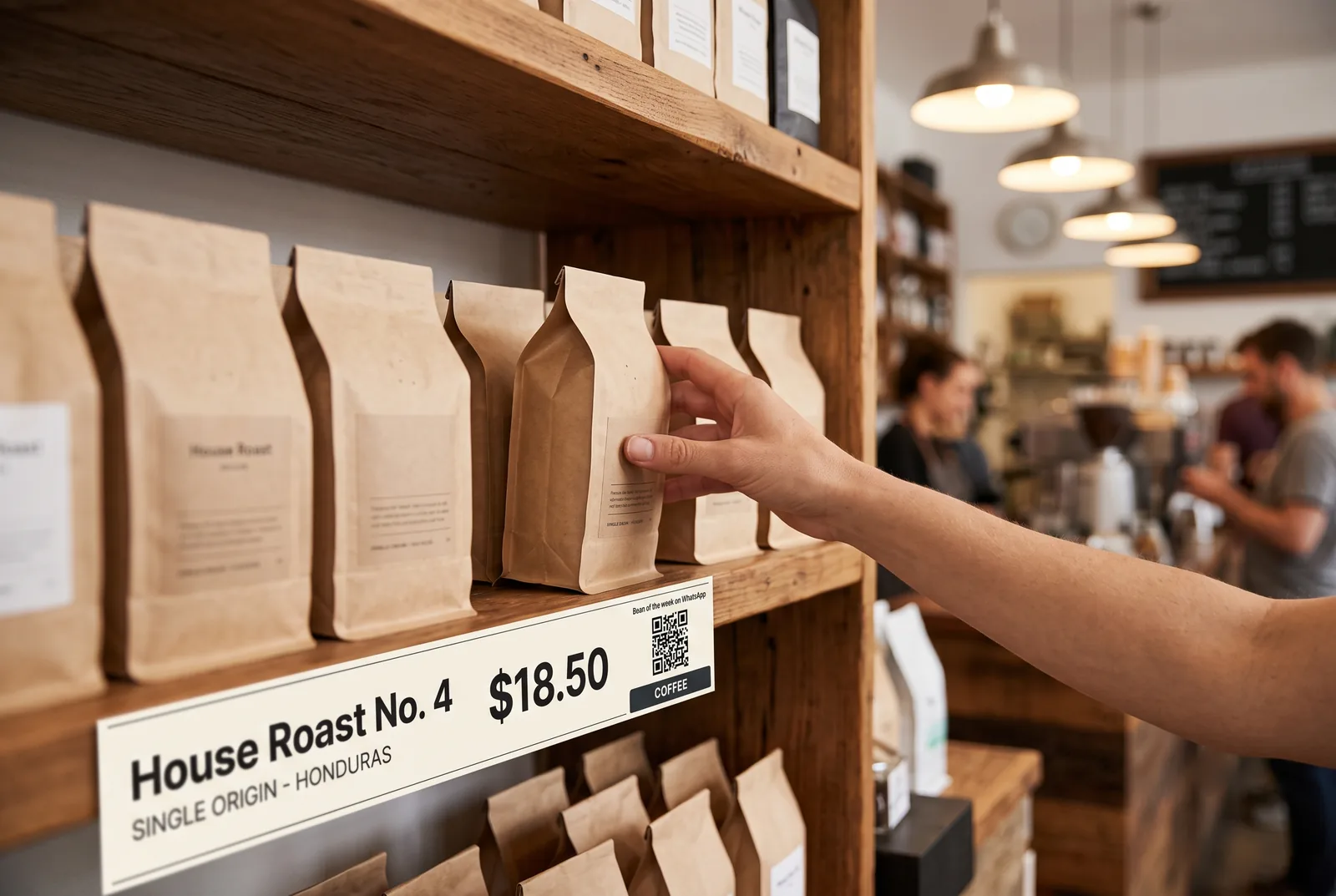
The code on the coffee bean shelf sends "coffee". The stand in the beauty studio sends "appointment". The parcel insert sends "warranty". For the customer it is the same scan. For you they are three different entry points.
This works just as well without a shop floor. If you sell digital products or services, put the button right next to the product: beside the plan, under the service description, on the booking page. A click on "Question about this plan" arrives with the information about which plan it was already attached.
The effect is twofold. You answer the open question in the moment of hesitation, which is exactly where the purchase would otherwise break off. And because the same message carries the opt-in, you keep the contact for the newsletter afterwards, without a second form.
Where the code belongs
Six spots work reliably in everyday business, each with the right sentence next to it and the right size.
See the six spots →What happens after the scan
The word being sent is a trigger. A keyword bot compares every incoming message against your word list and, on a match, replies immediately with a fixed text, an image, a template or a button menu. No artificial intelligence required.
For anything that goes beyond one reply, the keyword bot starts a sequence in the Flow Builder. Send "coffee" and you get the roast of the week and land in the matching list. Send "appointment" and you get open slots. Send "warranty" and you are asked for the order number.
Two things belong in every one of those sequences. First the confirmation: what you send, how often, and how to unsubscribe. That question is also the second step of a double opt-in, and therefore your proof. Second a tag on the contact, set automatically by the sequence. After that the inbox shows where the contact came from.
That turns an opt-in into a qualified opt-in. You do not just know that somebody signed up, you know what they are interested in. It pays off with the first newsletter, because you can split by interest instead of sending everyone the same thing.
Measuring which word carries
The practical side effect is the evaluation. If receipt, insert and shop window all send the same word, all you ever see is one total. With one word per spot you see which surface is actually working.
That changes decisions. If "table" brings three times as many sign-ups as "window" after four weeks, the next stands go on the tables and not in the window. Without attribution you would have treated both the same.
Keep the list short anyway. Five words you maintain are worth more than twenty nobody can tell apart. One word per spot and per product group is plenty to start with.
Where trigger words do not reach
Not every route into the chat carries a word. The contact button in the Google Business Profile allows no pre-filled text. The customer lands in an empty chat and writes whatever comes to mind. There the greeting has to do the work, ideally with two or three choices. More on that in our article on touchpoints without ad budget.
The same applies if you print the word on a poster and hope it gets typed in. That happens rarely, and rarely correctly. A word without a code is a fallback, not a plan.
And a trigger word is not permission. Whoever writes first opens the 24-hour window in which you may reply freely. What applies after that, and when you need a template, is covered in our WhatsApp essentials fact sheet.
Frequently asked questions
Can I use a separate trigger word per product?
Yes. In the promotion tools you set per link and per QR code which word the customer sends after scanning. A keyword bot recognises the word and starts the matching sequence. So the code on the coffee shelf runs into a different welcome sequence than the stand at the till.
Do I have to reprint the QR code when I change the word?
No, as long as only the text of the pre-filled message changes. The link and the QR code follow automatically. Reprinting is only needed when the number itself changes.
Do I need artificial intelligence for this?
No. A keyword bot matches text against a word list and replies. That runs without AI. An AI agent only makes sense once open questions need answering.
What if somebody types something else instead of sending the word?
Then nothing matches and the message lands in your inbox as usual. That is why every word list needs a default reply for everything that does not fit.
Can STOP be a trigger word?
No. STOP is reserved as the unsubscribe word. Using it as a trigger risks a sign-up being processed as an opt-out.
Every opt-in route in one place
Trigger words are one of twelve touchpoints. The pillar article covers all of them, plus the GDPR points and a 90-day plan.
Read the opt-in strategies →Further reading
- WhatsApp opt-in: 7 strategies to grow subscribers
- WhatsApp QR codes: 6 spots where people actually scan
- Subscribers without ad budget: three touchpoints you already own
- WhatsApp essentials: the rules before your first send
- Flow Builder: build sequences without code
- WhatsApp newsletter product page
Note: some illustrations in this article are AI-generated. How we work with AI is set out in our editorial policy.