01Support
Customer support as a team
For teams that answer incoming messages together: advice, sales, support.
13 videos · 29 min2 of 13 onlineShort videos that show you how SendSeven works day to day. No sign-up and no prior knowledge needed.
Hi, I'm Sven.I'll show you around the Academy.
Pick your goal. We'll show you the videos in the right order, from the first overview to your first result in your account.
For teams that answer incoming messages together: advice, sales, support.
13 videos · 29 min2 of 13 onlineFor anyone who wants to send templates and campaigns to subscribers and win new contacts.
13 videos · 32 min2 of 13 onlineFor anyone who wants to hand greetings, follow-up questions and first replies to flows and AI.
9 videos · 22 min2 of 9 onlineWe search titles, menu items and every spoken word. A hit takes you straight to the spot in the video.
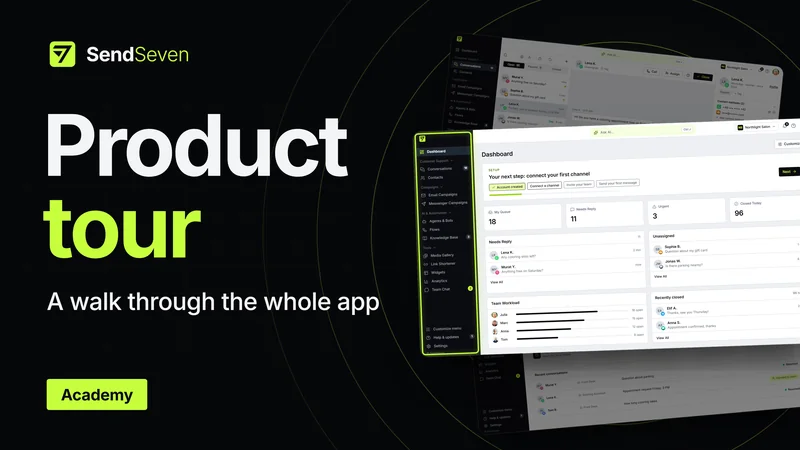
Product tourTranscript · 4:222:06 Messenger campaigns land right on the phone, for example via WhatsApp or SMS.
The product tour and WhatsApp basics are already here; the next videos are in the works. Product tour for the overview, tutorials for one task, basics for the knowledge behind it.
and 23 more planned videos
Understand WhatsApp properly: how the Business App differs from the Business API, who you may message and what the 24-hour window is. Simply explained, no jargon.
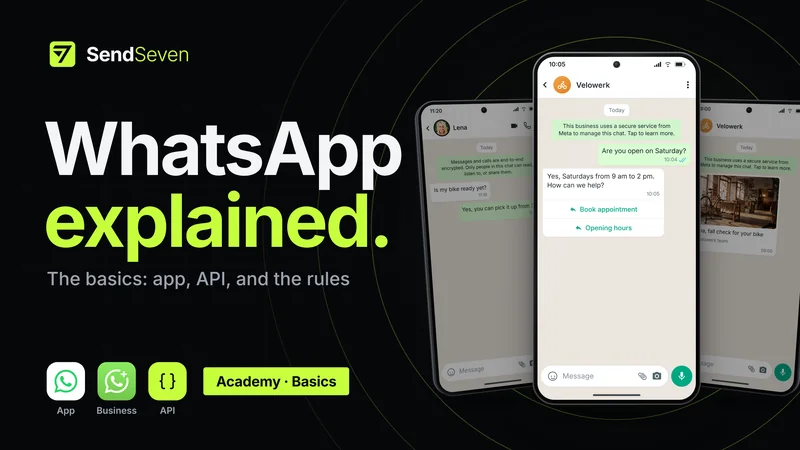 The video loads from YouTube when you play it.
The first basics video is online: which WhatsApp versions there are, which three rules apply and how to get started.
ChaptersWhatsApp, the WhatsApp Business App, or the WhatsApp Business API: what's the difference? Welcome to the SendSeven Academy.
The short answer: the app is for your phone. The API is for your team and your software.
In this video, we'll look at three things. First: which versions of WhatsApp are there?
Second: which rules apply? And third: how do you get started?
Let's begin. You know regular WhatsApp. It's for family and friends.
But for your business, the most important things are missing. No business profile, no business hours, no automatic greeting.
That's what the WhatsApp Business App is for. It's free. You get a business profile, a catalog, and automatic replies.
But: everything runs through your phone. Working with several people at once is very limited.
And the WhatsApp Business API? An API is an interface. Think of it as a socket from Meta.
You plug in software like SendSeven. Then your whole team works in one inbox.
Bots answer simple questions. And with campaigns, you reach many customers at once.
Want to keep your Business App? Then simply bring it along. With SendSeven, you connect the app to the API.
This is called Coexistence. On your phone, you keep chatting as usual. In SendSeven, your team works alongside you.
Your contacts come with you, and your past chats too, if you like. And you can switch back at any time.
Let's get to the rules. Rule one: the 24-hour window. It protects your customers from ads they don't want.
When a customer messages you, they want something from you. Then you can reply for 24 hours without a template, with text, images, or voice messages. Meta doesn't charge for the first 1,000 replies a month.
Once the window closes, you need a template. By the way: this rule doesn't apply in the app on your phone.
Rule two: templates. A template is like a form letter. The text is fixed, only a few spots are placeholders.
For example, a shipping confirmation: "Hi Lena, your order is on its way. It arrives on Friday." Or your newsletter.
At the top is a placeholder for the image. Then one for the first name. And one for your text of the week.
Meta reviews the template once. After that, you fill it in again every week. SendSeven inserts the first names automatically.
As long as there's some fixed text around it, almost any message fits into a template. And with that, you can message first at any time, to every customer who has opted in.
Rule three: costs. Messages from customers to you are always free. For your messages, Meta charges.
It's like postage: you pay per message that's delivered. Marketing costs more than a notification. And your replies in the 24-hour window?
Meta doesn't charge for the first 1,000 per number and month. From the 1,001st on, you pay for those too. So that Meta can bill you, you add a payment method there.
That's it for the rules. But WhatsApp can do a lot more: buttons. Lists.
Automations. Forms with WhatsApp Flows. We'll show you these pro tools in separate videos.
Which leaves the question: how do you get started? First, you need a phone number. Already using the Business App?
Then you already have your number. If not, take a number that isn't on WhatsApp yet.
That can be a mobile number or your landline. With a landline, the code comes by phone call.
Second, you need an account in Meta Business Suite. Don't have one? No problem, you can create it in a few minutes while connecting.
Think of it as your little suitcase at Meta. Inside are Facebook, Instagram, and WhatsApp. The suitcase belongs to you.
If you ever want to switch, you simply take it with you. Important: you need admin rights there.
Finally, you connect WhatsApp to SendSeven. Under Settings, Connected Channels, click Connect WhatsApp.
A short wizard asks whether you already use the Business App. After that, Meta guides you step by step.
To sum up: the app is for your phone, the API is for your team. With Coexistence, you use both. When a customer messages you, you can reply for 24 hours without a template.
Meta doesn't charge for the first 1,000 replies a month. When you message first, you use a template.
And to get started, all you need is your number and an account with Meta. Connect your WhatsApp number to SendSeven and get going.
Note: The voice-over in this video is AI-generated.
Try out what you saw, or book a demo to see how SendSeven fits your business.
Agents & Bots, Flow Builder, Knowledge Base, Team Chat and Scheduler are available from the Professional plan.